Voxel Object Componentization
Overview
Create the objects (XMOD models) generated by the planet ecology as Static Mesh Components. Each type of object can be added a tag which will be attached to the created Static Mesh Component.
Enabling the Visual Component
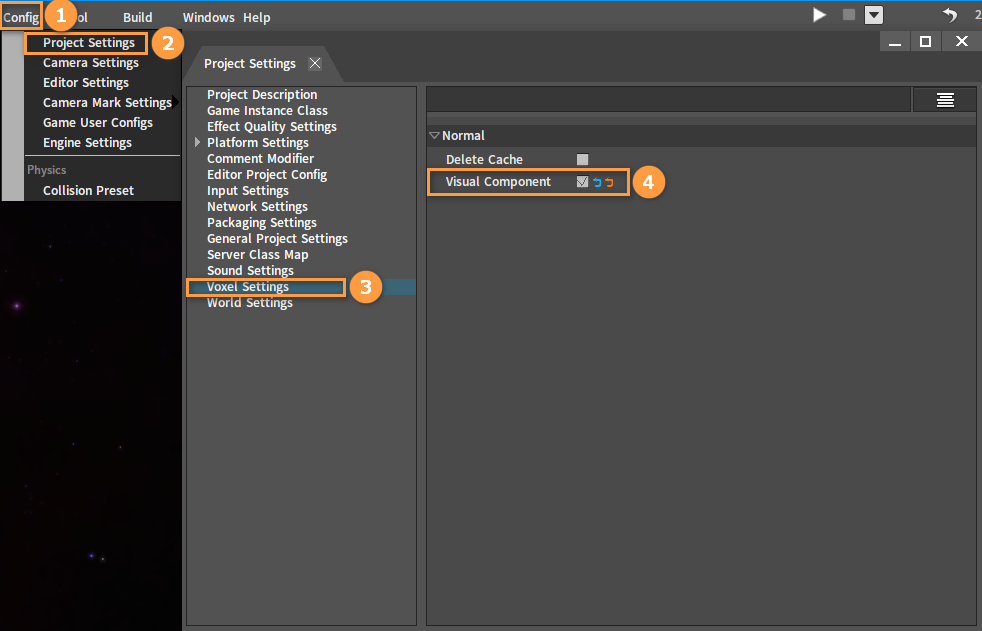
Click Config (Menu Bar) -> Project Settings to open the Project Settings window. Select the Voxel Settings tab to show the right panel and check Visual Component.
Adding Tags to Voxel Object Components
Tags will be automatically attached to the created components after adding custom tags to Voxel Objects in the Voxel Object Editing window.
Opening the Voxel Object Editing Window
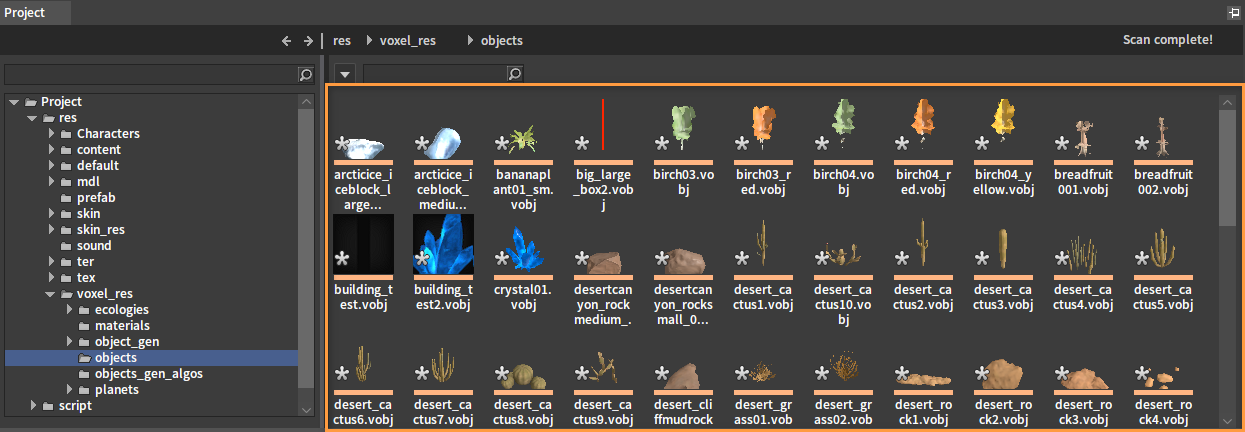
Open the Voxel Object file save path which is under the directory res\voxel_res\objects in the Project panel. All Voxel Object files (.vobj) will be displayed in the Resource Preview window.
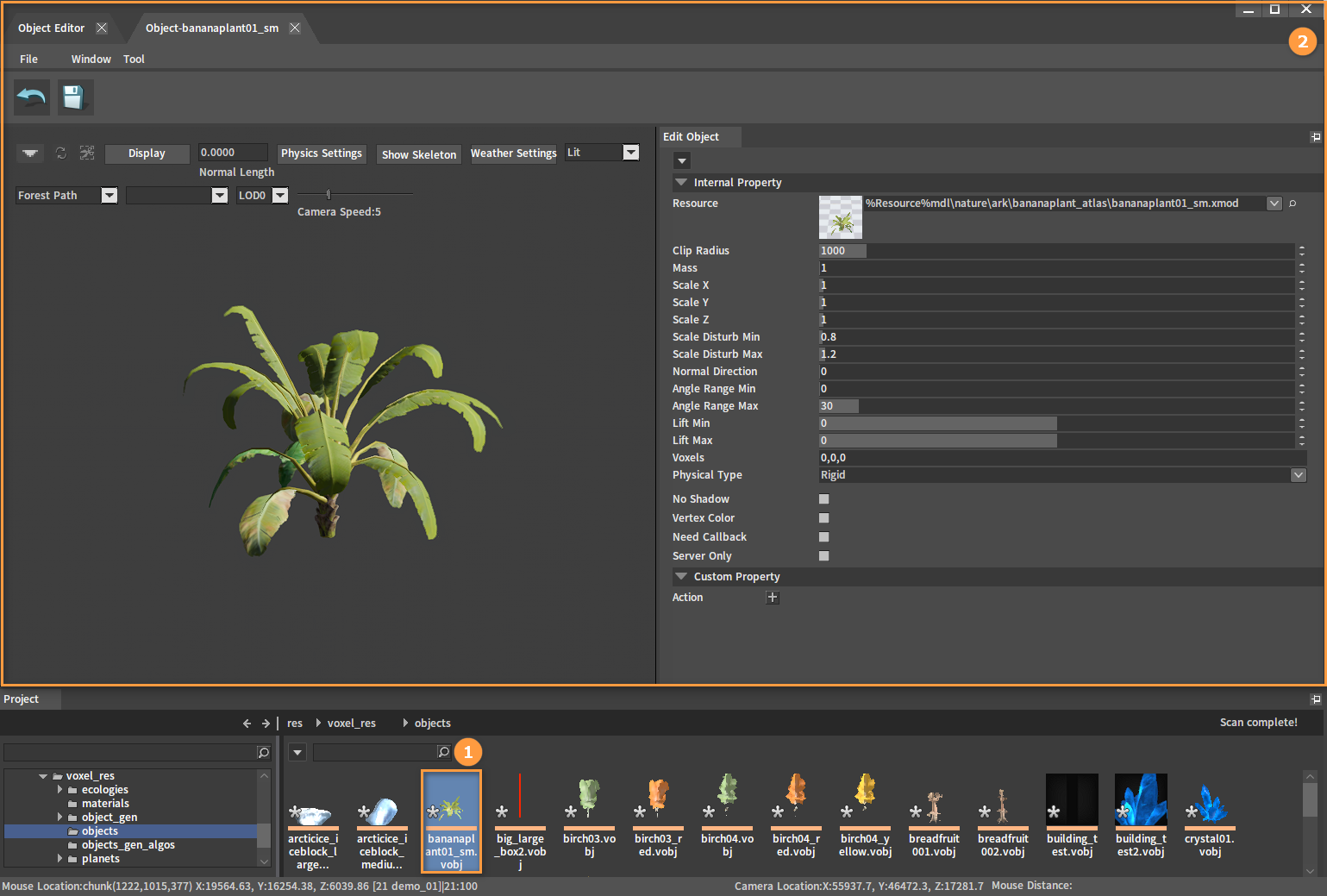
Double-click a Voxel Object file (.vobj) as needed to open its editing window and the Object Editor.
Adding Custom Properties
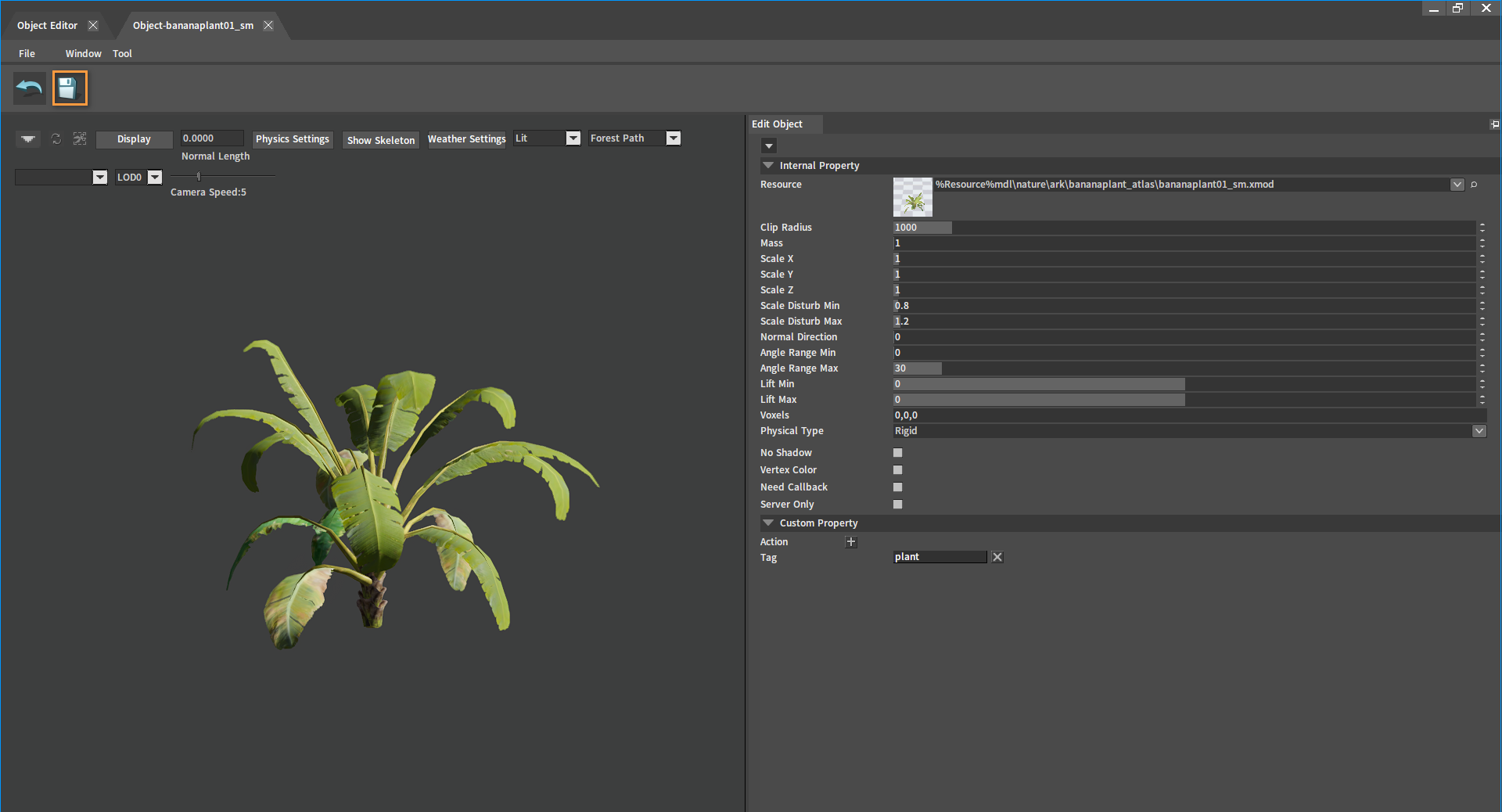
Click the  button next to Action under Custom Property in the Voxel Object Editing window. A Property Naming window will pop up. Enter "Tag" here and click OK to add the Tag property.
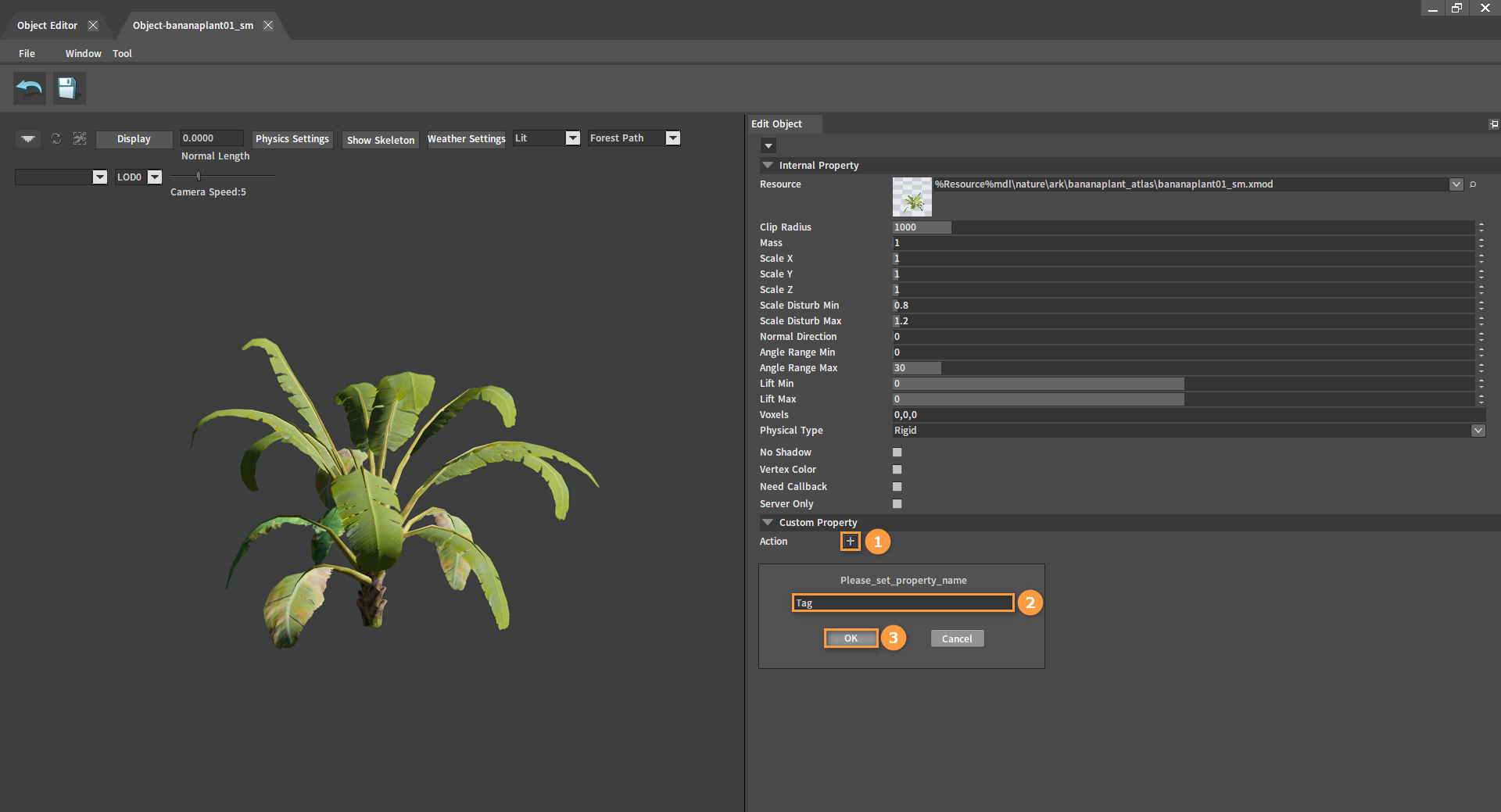
Adding Tags
Enter any tag name in the custom property Tag to add it to the Voxel Object. Tags can also be removed by clicking the  button to the right of the property.
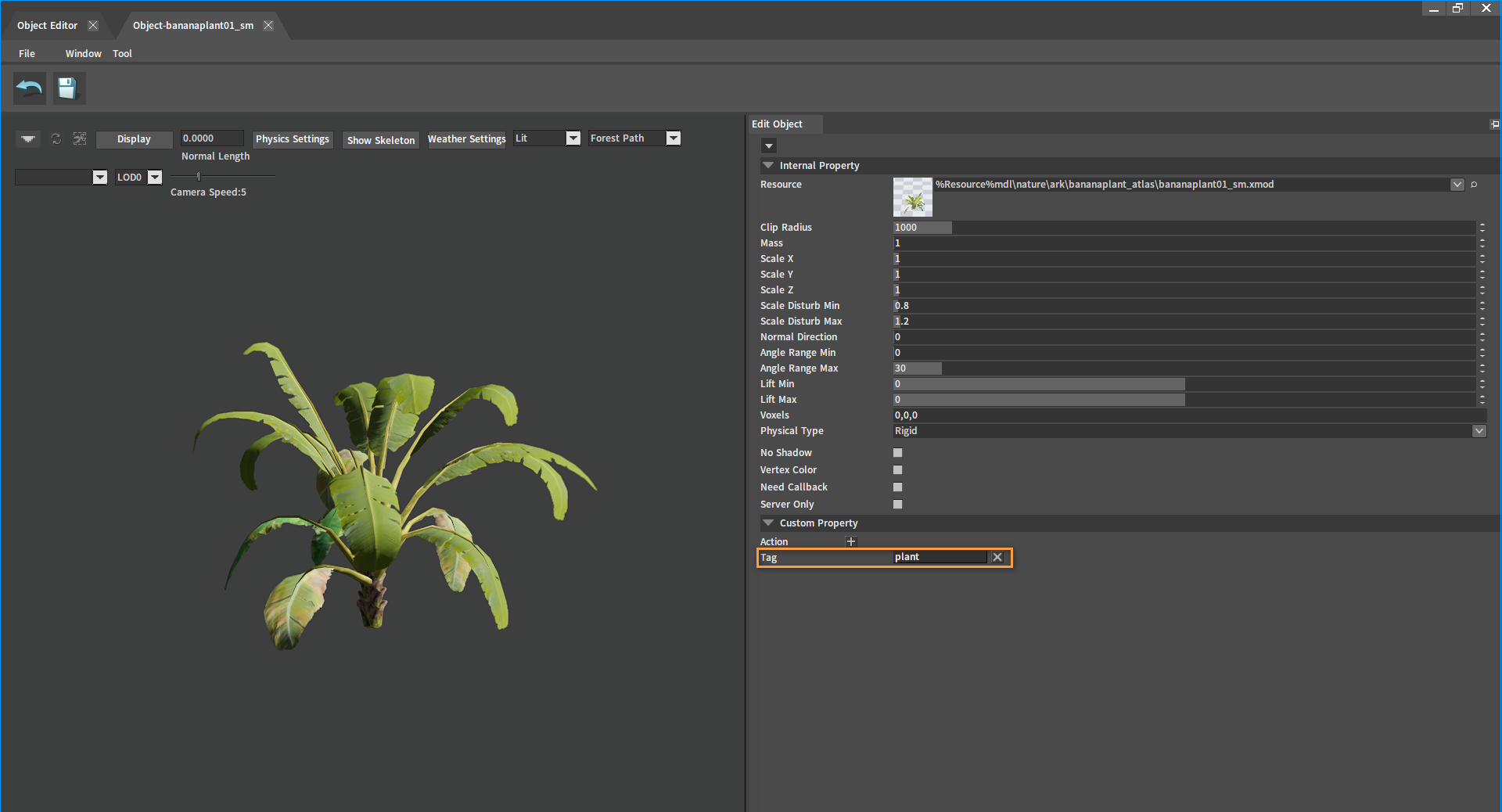
Click the Save button and close the current window.