Project Publish
Setting Engine Path (Except for Non-CPP Code Project)
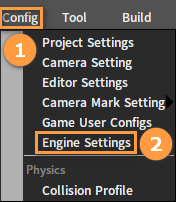
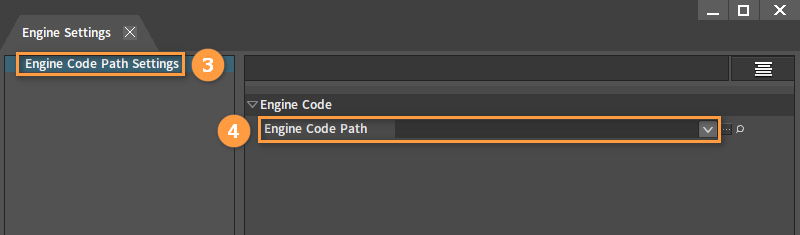
Packaging Settings
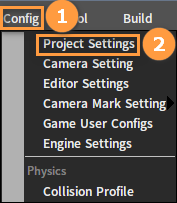
Setting Build Assembly Line as DefaultPublisher
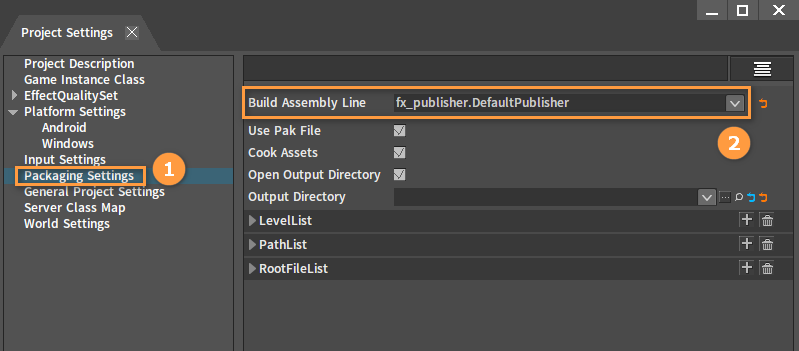
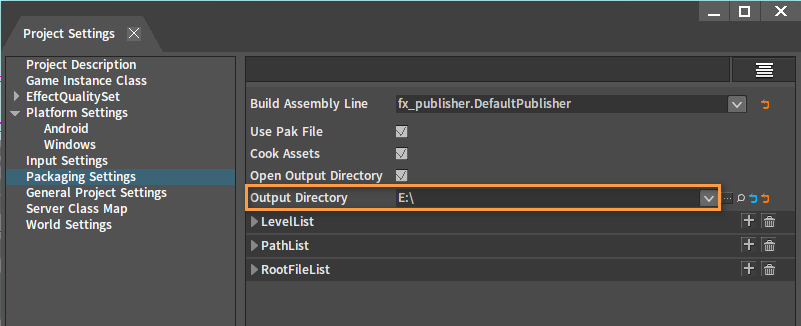
Setting Packaging Output Directory
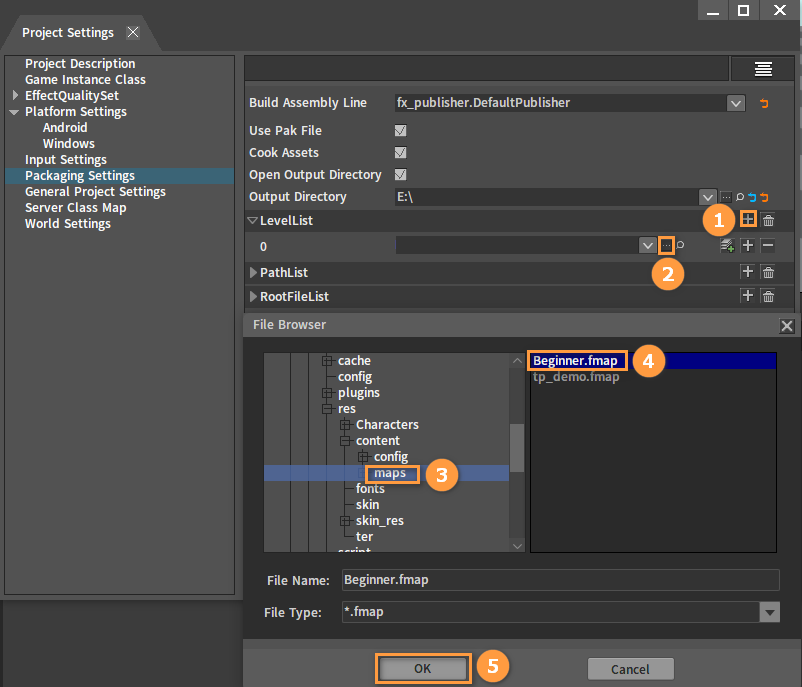
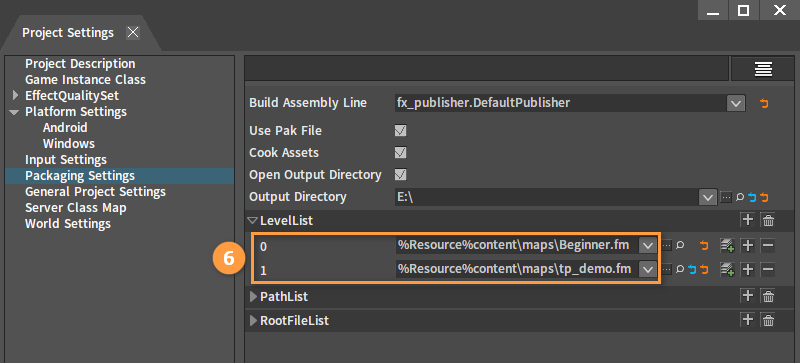
Setting Level List
Select the two levels in the project with the following paths:
(1) demo5\res\content\maps\Beginner.fmap
(2) demo5\res\content\maps\tp_demo.fmap
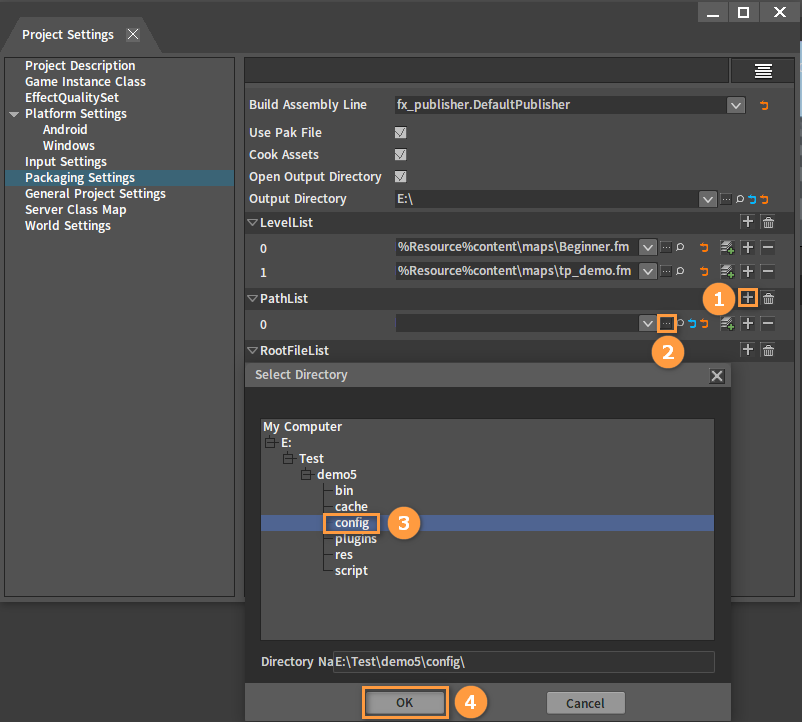
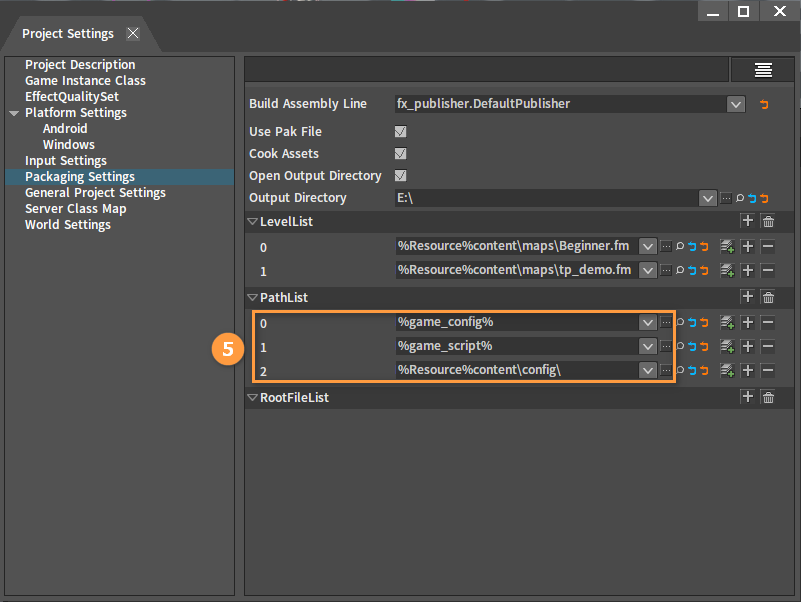
Setting Resource Directory
Select the following three directories in the project:
(1) demo5\config
(2) demo5\script
(3) demo5\res\content\config
Starting Windows One-click Packaging

Wait for the packaging to complete. The packaged content is in the output directory of the packaging config
(If there is no config, it may be in the project's cache\builder\outputs directory:
e.g. tp_demo\cache\builder\outputs\tp_cpp\windows\install).
